
Docs
QQ group permissions
Open Bot settings in mobile QQ and choose the message-reception scope and proactive group-speech permission.
This page explains group Bot permissions in mobile QQ. DeepSeekBot’s QQ integration is being delivered in slices; enabling QQ settings does not add every QQ feature to your installed version. Check Connections and optional tools and QQ specification #1149 for availability.
Prepare the Bot
Use an official QQ Bot application, add it to the intended group, and connect and bind it to the intended Bot in DeepSeekBot. See External identities for binding. Configure the following permissions in mobile QQ for the Bot in that group. If the entry is unavailable, ask the group owner or an administrator with the required management permission to configure it.
1. Open settings from the Bot profile
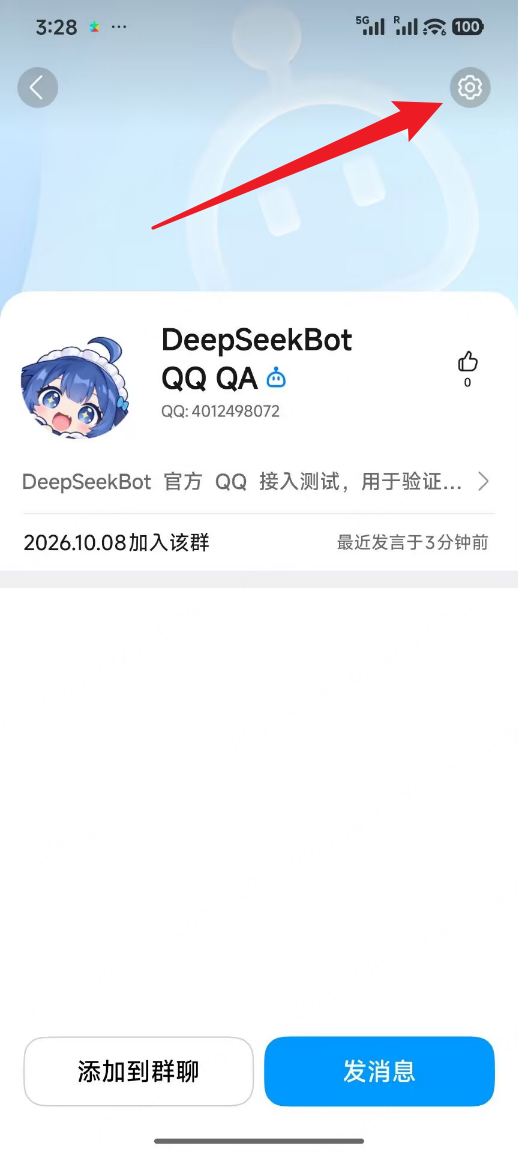
In mobile QQ, open the intended group and the Bot’s profile. Tap the gear in the top-right corner, marked by the red arrow below.
2. Choose the message-reception scope
The first setting is 机器人可获取的群聊消息范围 (group messages the Bot can receive). Open it and choose the scope you need.
Figure 2 shows 获取群内全部消息 (receive all group messages). This allows QQ to deliver ordinary group messages to the application. Receiving every message is not a prerequisite for proactive speech when you only want @ replies. Whether DeepSeekBot observes ordinary messages or participates autonomously also depends on your installed version and local conversation policy.
3. Enable proactive group speech
On the same page, enable the second setting, 机器人主动在群聊内发言 (allow the Bot to speak proactively in the group). Its blue switch in Figure 2 is ON; the description says that the Bot can send proactive messages, such as scheduled tasks.
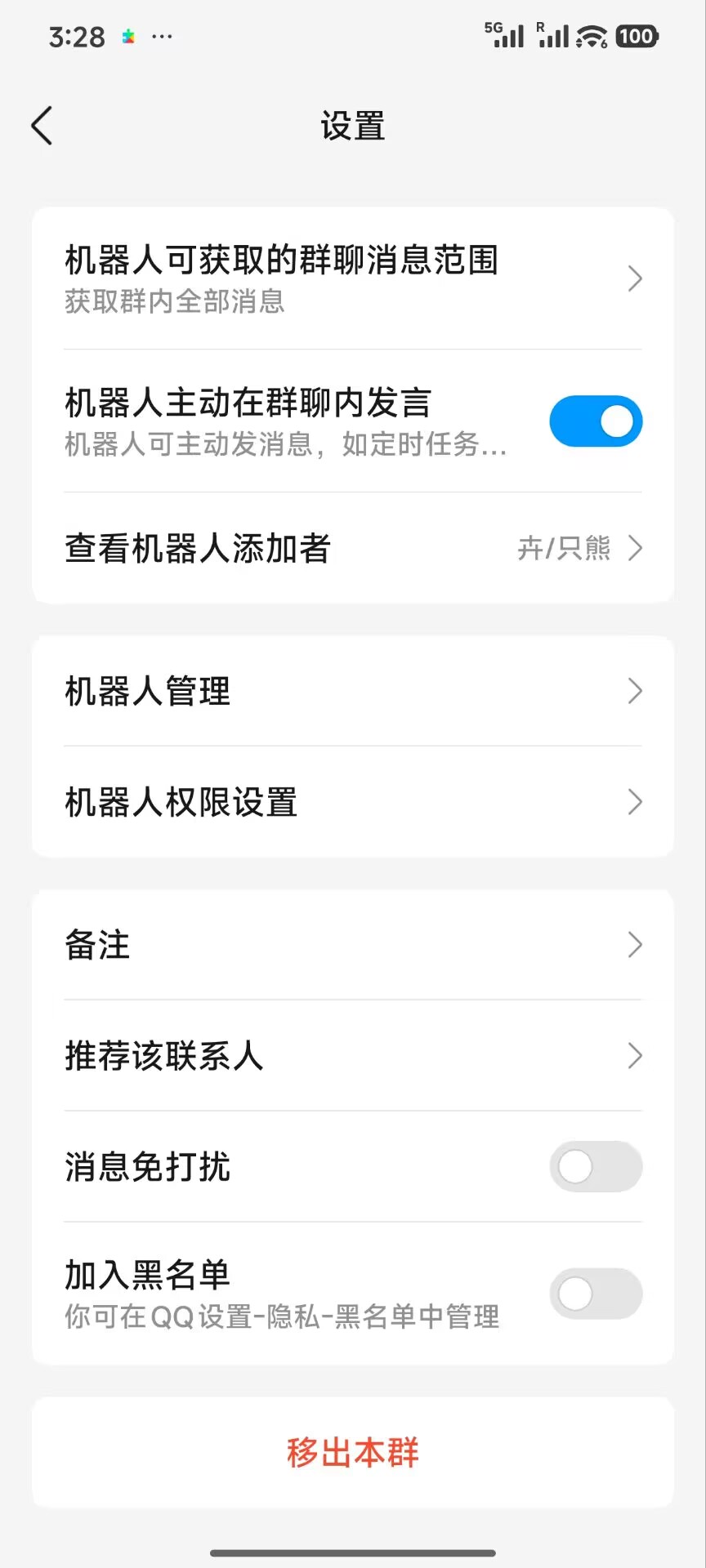
Message reception and proactive speech are separate settings. A “receive robot push” switch on another page does not establish that setup is complete; check the proactive group-speech control shown here.
4. Verify settings and delivery
- Check each Bot and group separately. For two Bots in one group, open each Bot’s own profile.
- Select a genuine @ mention of the intended Bot and send a new message in the original group. Confirm that the correct Bot replies.
- For proactive sending, use that Bot’s already authorized target in DeepSeekBot for one text test. QQ’s setting does not replace local send authorization; confirm that the message appears in the group.
- If @ replies stop after enabling receive-all, check that your DeepSeekBot / dsh-im version supports QQ’s full-message carrier. Do not repeatedly resend old tasks to bypass a failed or uncertain send result.
These screenshots were supplied during real QQ group qualification on 2026-10-09. Labels and layout may vary by mobile QQ version. The QA Bot is an example; configure your own Bot.
Official QQ group-message documentation · Full-message event