
BlogPersonal agentsMemory
A personal AI agent with memory and a Bot team
Keep project context in inspectable Git-backed memory, give personal Bots distinct roles, and extend DeepSeekBot with compatible DeepSeek Harness plugins.
On this page
When you return to a project next week, you want your AI assistant to know which question you were investigating, which sources you trusted and what still needs checking. A personal AI agent with memory can keep that context in persistent files, so you can inspect and correct it rather than reconstruct the project from a chat transcript.
DeepSeekBot is an MIT-licensed, open-source GrokBot alternative installed as a plugin in DeepSeek Harness (DSH). Its personal Bots, called PersonaBots, have their own identities and Git-backed memory. You can work with one in a private conversation or bring several into a Group as your personal Bot team.
Start with one Bot and a small recurring job. Add another role when you can explain what it should contribute. Here is a proposed workflow for keeping project reading notes; it is an example to try, not a task result or a claim that an autonomous team has completed it.
Give one personal agent a job worth remembering
Imagine you are choosing a tool for a side project. This week you read three introductions; next week you want to check what changed. A useful research Bot should retain the question, your constraints and the sources, while keeping tentative conclusions separate from decisions you approved.
After installing DeepSeekBot, open Bot mode and create a PersonaBot. Give it a name and a narrow role: “Help me keep source-linked reading notes for this project.” You can supply the material yourself, without connecting an account or granting broad access to your files.
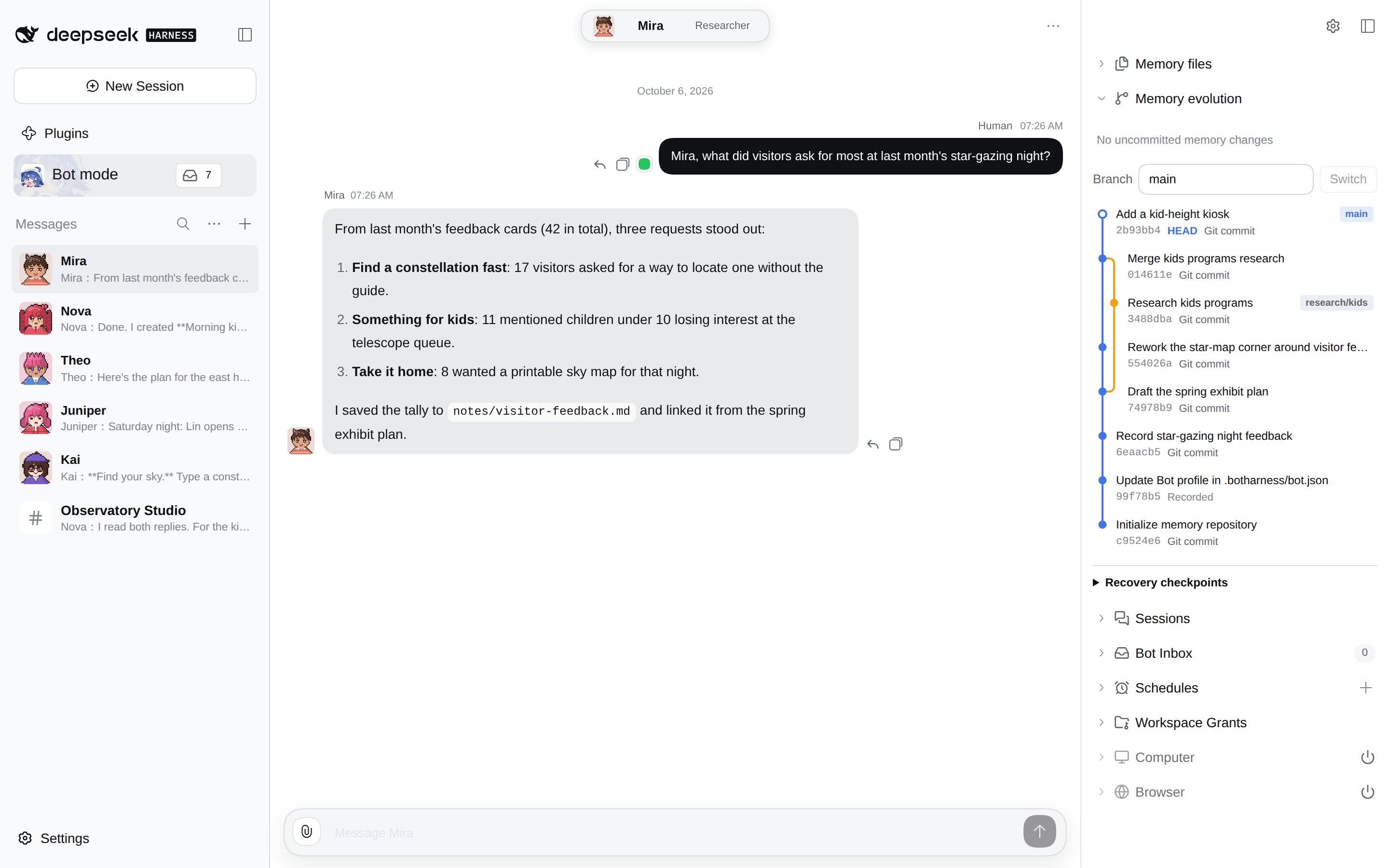
DeepSeekBot distinguishes identity from memory. SOUL.md describes who the Bot is and how it should work. MEMORY.md holds key facts and an index to detailed notes in other files. Putting “be careful” in its Soul helps describe the role, but does not enforce a security boundary.
For this example, ask for a structure like this inside the Bot's memory:
SOUL.md             Research role and working preferences
MEMORY.md           Current question and approved constraints
reading-notes.md    Source links, dated observations and open questions
These filenames are a suggested organization, not files this tutorial has created for you. Keep passwords, private keys and unrelated personal information out of the notes.
Make persistent memory something you can check
Persistent memory means saved information survives a conversation. It does not mean every message becomes a correct memory, every old detail reaches the next model call, or the Bot always recalls the right fact.
Soul and Core Memory enter a Session as a snapshot with size limits; detailed files are read when needed. Editing a file does not automatically rewrite that active snapshot. Keep the core short and point it at the detailed notes, then test recall in a new Session rather than assuming the entire memory repository is always in context.
DeepSeekBot's Git Memory sidebar lets you inspect files, commits and diffs. For the reading-notes example, review the actual change after asking the Bot to retain a decision. If it saved an inference as a fact, correct the file instead of hoping another message will undo it. A Git history makes changes inspectable; it does not validate the contents for you.
Try this request with material you are allowed to share:
Use only the three source passages I provide below.
Draft reading notes for my project, with a source for each important claim.
Separate observations, my confirmed constraints and unresolved questions.
Show the proposed memory update first; wait for my confirmation before saving it.
Do not post anything or connect external accounts.
That last instruction is a request to the model, not a guaranteed approval gate. Keep actual tools and host permissions narrow as well. Check whether the Bot wrote anything before approval, and stop if it did. Our three-source briefing walkthrough shows why sources and output still need human review.
At the next conversation, ask the Bot to restate the project question and cite its saved notes. Check that the sources and constraints are still current. Retention and successful recall are separate things to test. For file details, see Memory files and Memory evolution.
Grow into a personal Bot team when roles help
A second Bot is useful when you need another clearly defined job. For the same reading-notes project, you might use:
- A researcher to collect source-linked observations from supplied material.
- A reviewer to challenge unsupported claims and flag stale information.
- A coordinator to turn the reviewed notes into a draft for you to approve.
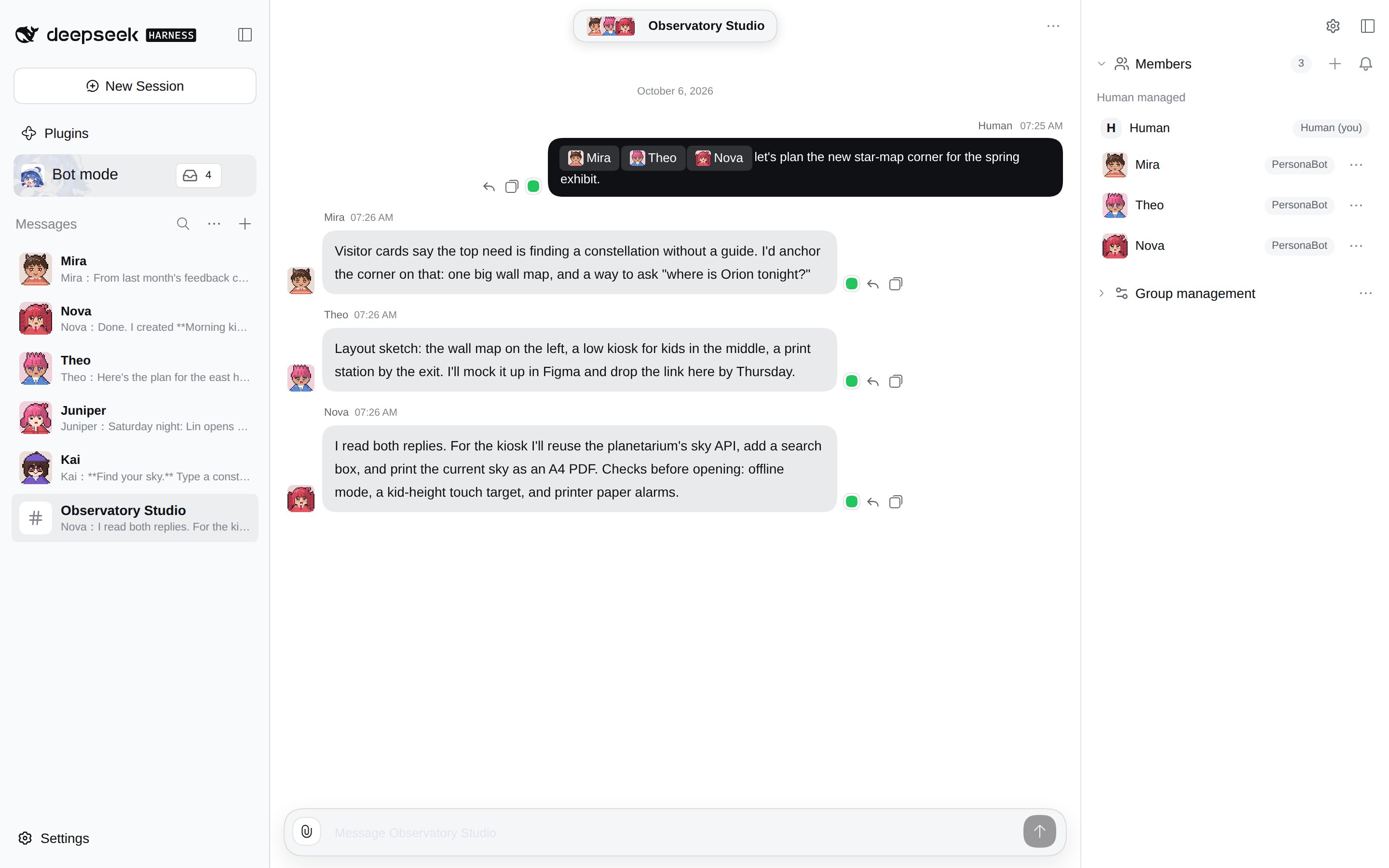
Each PersonaBot keeps its own identity and memory. Invite the relevant Bots into a Group and @ the one you want to respond. Share the question and the approved material explicitly; do not assume that one Bot knows everything another Bot has saved.
Zoom into the Group replies
A Group conversation and an Assignment are different arrangements. Groups let independently identified Bots collaborate in a shared conversation. Assignments delegate independent work with a separate Session and report, and require a Workspace grant. A Group invitation is not permission to work in any directory.
For a first trial, ask the reviewer to check one paragraph, then read its reply yourself. Keep publishing, credential changes and broader file access outside the trial. More Bots add coordination and model calls; they do not guarantee better answers or unlimited autonomy. The capability guide separates the released package from optional components.
Extend the team through DeepSeek Harness
DeepSeekBot runs inside a DSH Profile and can be installed alongside compatible DSH plugins. That open-source plugin ecosystem gives you a way to add capabilities as your actual workflow needs them, rather than treating the Bot's starting tools as a fixed ceiling.
If supplied reading material is enough, begin there. Before adding a connector or another tool, check its version, required credentials, exposed actions and host access. Enable only what the job needs, then try a small read-only request. Some DSH plugins may not yet be compatible; sharing a Profile does not prove every combination works.
The checked npm release, DeepSeekBot 1.2.0, does not include the optional Computer or Browser Bundles. This reading-notes example does not require them. Self-hosting also means maintaining the host and configuration; model/API usage has its own cost. MIT licensing does not make those services free, and background work depends on the host remaining available.
What to check before you rely on the team
- Can you find the saved project question and correct a mistaken memory?
- In a later conversation, can the Bot use the right notes without inventing a source?
- Do Group replies keep the intended roles, and can you see what each Bot contributed?
- Are tool access and Workspace grants limited to this job, with external actions left for your approval?
If the first two checks fail, fix the one-Bot workflow before expanding the team. If you are still choosing between products, use the existing personal AI agents comparison rather than treating this setup guide as a benchmark.
Product sources and release scope
Checked on October 12, 2026 against the DeepSeekBot 1.2.0 package README, package configuration and release-era memory guide. They document identity, Git Memory, Groups, Workspace-granted Assignments and the compatibility caveat. See also the DeepSeekBot repository and DeepSeek Harness. The prompts and reading-notes organization above are proposed examples, not recorded execution evidence.